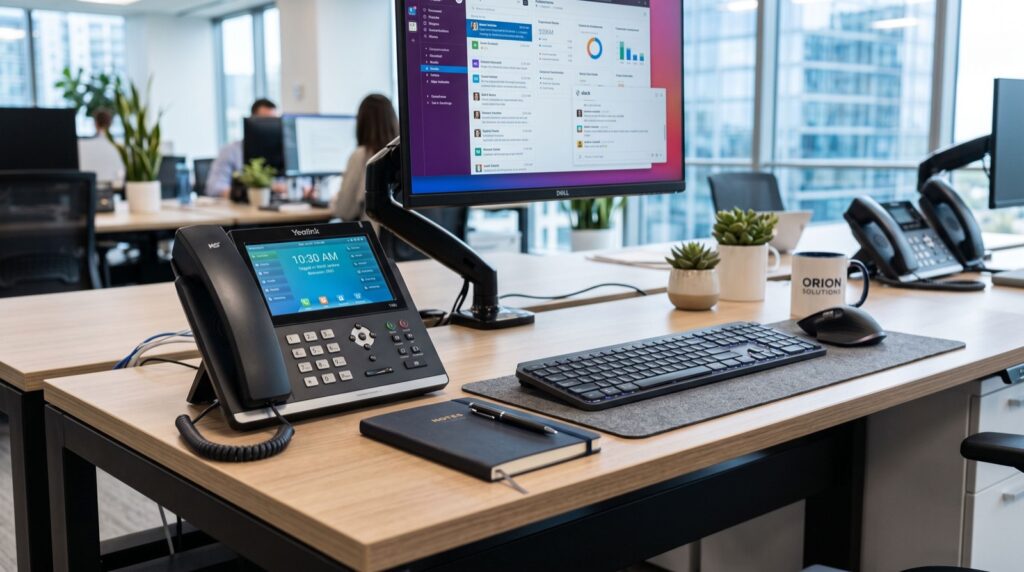
The smart video phone has quietly become the centerpiece of the hybrid office in 2026, blending crisp voice, face-to-face video, and app-style touchscreens into one desk device. A smart video phone is an Android-based SIP endpoint with a camera and large touch display that handles calls, video meetings, and collaboration apps without a separate laptop or webcam. This guide explains where video desk phones shine, how to choose one, and how to deploy them so executives and teams actually use them.
We have rolled out video endpoints for boardrooms, executive suites, and front desks, so the advice below reflects what works once real people sit down to use them.
Why smart video phones matter for hybrid work
Hybrid teams live between the office and home, and a dedicated video desk phone removes the friction of firing up a laptop for every call. One tap launches a meeting, the camera and mic are already positioned, and audio quality beats most built-in laptop hardware.
For executives and reception areas, a large-screen flagship like the Fanvil V67 Flagship Smart Video Phone pairs a high-resolution touchscreen and HD camera with full SIP calling, so it replaces both a desk phone and a fiddly webcam setup in one clean device.
Where video phones earn their keep
- Executive desks: instant face-to-face calls without laptop juggling.
- Reception and lobbies: visual visitor check-in and quick internal video.
- Small huddle rooms: a self-contained meeting endpoint on the table.
- Remote branch links: always-on video presence between offices.
What to look for in a video desk phone
Not all video phones are equal. The camera resolution, the display size, the Android version, and app compatibility all shape daily usability. A sluggish interface or a grainy camera guarantees users will abandon the device.
Prioritize a bright touchscreen, an HD camera with a privacy shutter, wideband audio, and support for the meeting apps your business already runs. Local sourcing helps too — buying fanvil ip phones in Karachi means warranty coverage and setup support are close at hand rather than an ocean away.
Feature comparison table
| Feature | Basic IP phone | Smart video phone |
|---|---|---|
| Display | Small color LCD | Large touchscreen |
| Camera | None | HD with privacy shutter |
| OS | Firmware only | Android with apps |
| Video meetings | No | Yes, built-in |
| Best for | Standard calling | Execs, huddle rooms |
How do you deploy smart video phones successfully?
Video endpoints add bandwidth and app considerations that voice-only phones do not, so plan the rollout carefully. Follow these steps to avoid choppy video and confused users.
- Check bandwidth: budget more per stream than voice-only calls require.
- Update firmware and apps: lock a tested Android build across all units.
- Pre-install meeting apps: configure the platforms staff already use.
- Position the camera: set angle and lighting for each desk.
- Train briefly: a five-minute walkthrough boosts adoption dramatically.
For multi-room and multi-branch installs, an experienced integrator or dependable specialists can stage, provision, and support the devices so your IT team is not stretched thin.
Driving adoption: the human side of video phones
The best video phone in the world fails if staff ignore it. Adoption, not hardware, decides whether the investment pays off. In our installs, three habits separate devices people love from ones that gather dust.
- Pre-configure everything: log users into their meeting accounts before handover so nobody wrestles with setup.
- Fix the basics: good lighting and a clean camera angle make people feel confident on video, which drives repeat use.
- Give a quick demo: a five-minute walkthrough at each desk converts skeptics faster than any manual.
An original tip from the field: place a small, always-visible speed-dial for a common video contact on each executive’s home screen. That one shortcut nudges people to pick up the phone instead of reaching for a laptop, and habits form within a week.
Bandwidth planning for video at scale
Video is hungrier than voice, so plan capacity deliberately. Estimate concurrent video calls, multiply by your target resolution’s bitrate, and add headroom for other traffic. Apply QoS so video and voice always take priority over backups and downloads. For branch offices on thinner links, cap resolution rather than letting streams stutter, since consistent standard-definition video beats jittery HD every time. Monitor real usage after launch and adjust QoS policies as adoption climbs.
Security, privacy, and standards
A phone with a camera raises privacy stakes, so treat it accordingly. Choose devices with a physical privacy shutter, encrypt signaling with SIP over TLS and media with SRTP, and change default web passwords during provisioning. Segment video endpoints onto a managed VLAN.
The SIP signaling these phones use is governed by the IETF standard RFC 3261, and confirming camera, codec, and app specs against official Fanvil resources ensures the model you deploy truly fits your platform.
Frequently Asked Questions
Do smart video phones work with Zoom, Teams, or Google Meet?
Many Android-based video phones support popular meeting apps directly or through compatible clients, letting users join scheduled calls from the phone itself. Always confirm the specific app and version support with the vendor before buying, as compatibility varies by firmware release.
How much bandwidth does a video call use on these phones?
An HD video stream typically needs a few hundred kbps to over a megabit per second per direction, depending on resolution. Provision generously and apply QoS so video and voice traffic take priority over less time-sensitive data on your network.
Are smart video phones worth it over a laptop webcam?
For frequent callers, yes. A dedicated device is always ready, offers better audio, frees the laptop for other work, and presents a professional, consistent setup. For occasional video, a laptop may suffice, so match the hardware to actual call volume.
Can I mix video phones and standard IP phones on one system?
Absolutely. Because both use open SIP standards, a single PBX registers video and voice-only phones side by side. Deploy video units where face-to-face matters and keep standard handsets at routine desks to control cost.
Conclusion
A smart video phone turns the desk into a complete communication hub for the hybrid workplace of 2026, uniting voice, video, and apps in one always-ready device. Choose the right screen and camera, plan bandwidth, and lock down privacy from the start. Ready to upgrade your executive and meeting spaces? Contact a specialist for a video-endpoint plan tailored to your offices and your budget.